

Got an old phone, tablet, or laptop collecting dust? The Best Buy trade-in Canada programme lets you exchange eligible devices for store credit, making it easier to offset the cost of your next tech purchase. But before you hand over your device, you’ll want to know exactly what it’s worth and whether trading it in makes financial sense.
This guide breaks down how Best Buy’s trade-in process works, which devices qualify, and what kind of value you can realistically expect. We’ll also cover situations where repairing a damaged device first might get you a better return, something worth considering if your phone has a cracked screen or battery issues. At fyxters, we connect Canadians with vetted repair technicians who can restore your device’s value before you trade it in.
Whether you’re upgrading or simply decluttering, here’s everything you need to know.
What Best Buy Canada trade-in covers
The Best Buy trade-in Canada programme accepts a wide range of electronics, but not everything qualifies. Understanding which devices are eligible saves you time and helps you plan your trade-in strategy before making the trip to the store.
Eligible devices
Best Buy accepts smartphones, tablets, laptops, and desktop computers as part of the standard trade-in programme. You can also trade in gaming consoles, smartwatches, and certain accessories like wireless headphones or e-readers. The device doesn’t need to be in perfect condition, but it must power on and be free of major physical damage that prevents basic functionality.
Devices with minor cosmetic issues like scratches or scuffs typically qualify, though they’ll receive a lower valuation than pristine units. Best Buy’s system categorises condition as working, damaged, or non-functional, and your payout depends entirely on which category your device falls into.
What doesn’t qualify
Items with severe structural damage, such as bent frames or missing components, typically get rejected at the assessment stage. Devices with activation locks still enabled (like Find My iPhone on Apple products or Google’s Factory Reset Protection) won’t be accepted either, so you’ll need to disable these features before heading to the store.
If your device has a cracked screen or battery issues but still powers on, it may still qualify for trade-in credit, though the value will be significantly lower than a fully functional device.
Best Buy also excludes accessories like phone cases, chargers, and screen protectors from the programme. The focus remains on electronics with resale or recycling value.
Step 1. Check your value with the estimator
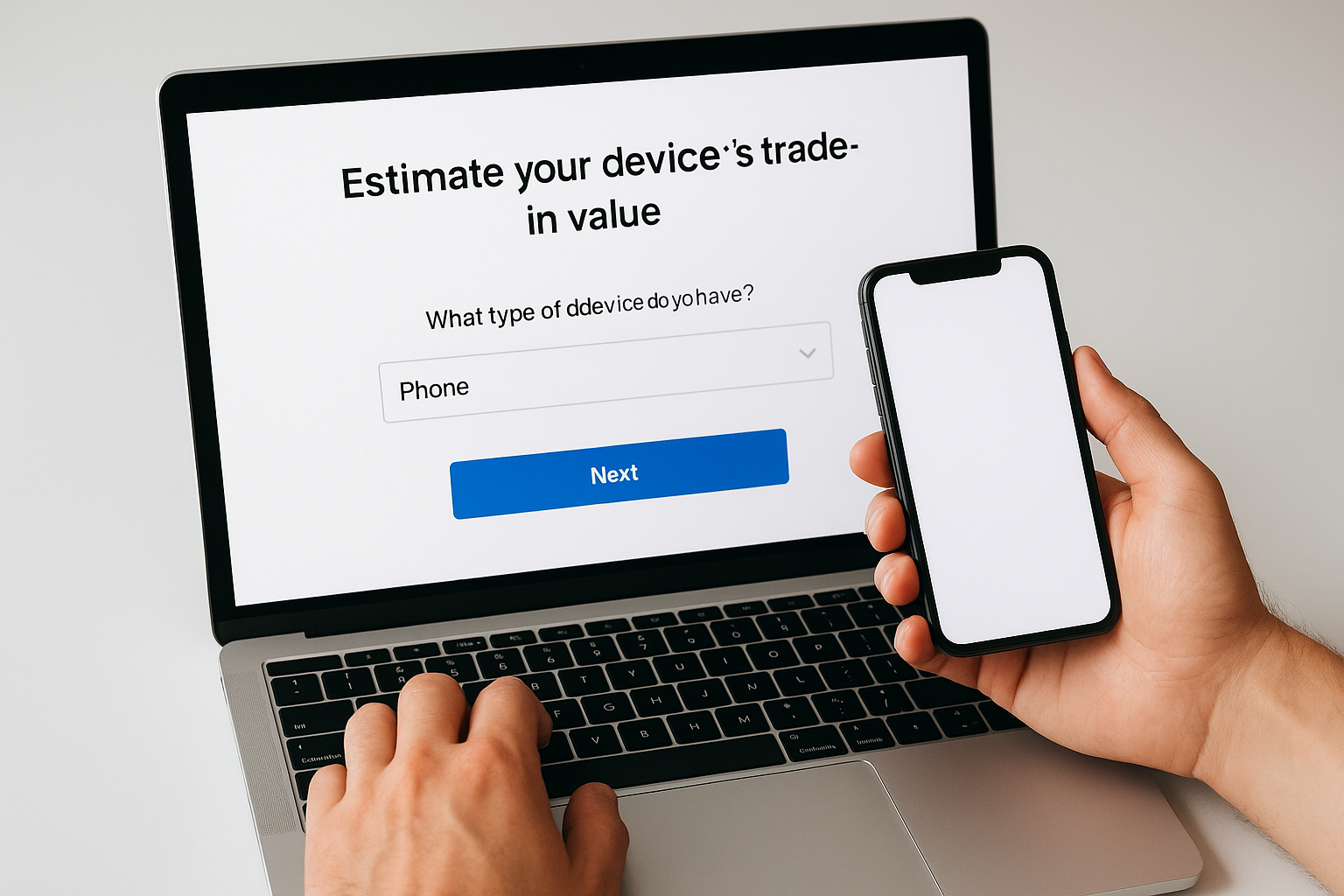
Before visiting a store, you can estimate your device’s trade-in value using Best Buy Canada’s online tool. This estimator asks a series of questions about your device’s make, model, and condition to generate an instant valuation. The process takes less than five minutes and gives you a realistic expectation of what you’ll receive.
Accessing the estimator
Head to the Best Buy Canada website and search for "trade-in" in the site’s navigation or search bar. You’ll find a dedicated trade-in page where you can select your device category (phone, laptop, tablet, etc.). The system then prompts you to choose your specific model from a dropdown menu that includes most major brands and recent releases.
What information you’ll need
You’ll answer questions about your device’s functional condition and any physical damage it may have. The estimator asks whether the screen works properly, if the battery holds a charge, and whether all buttons function correctly. Cosmetic damage like scratches gets addressed separately from functional issues.
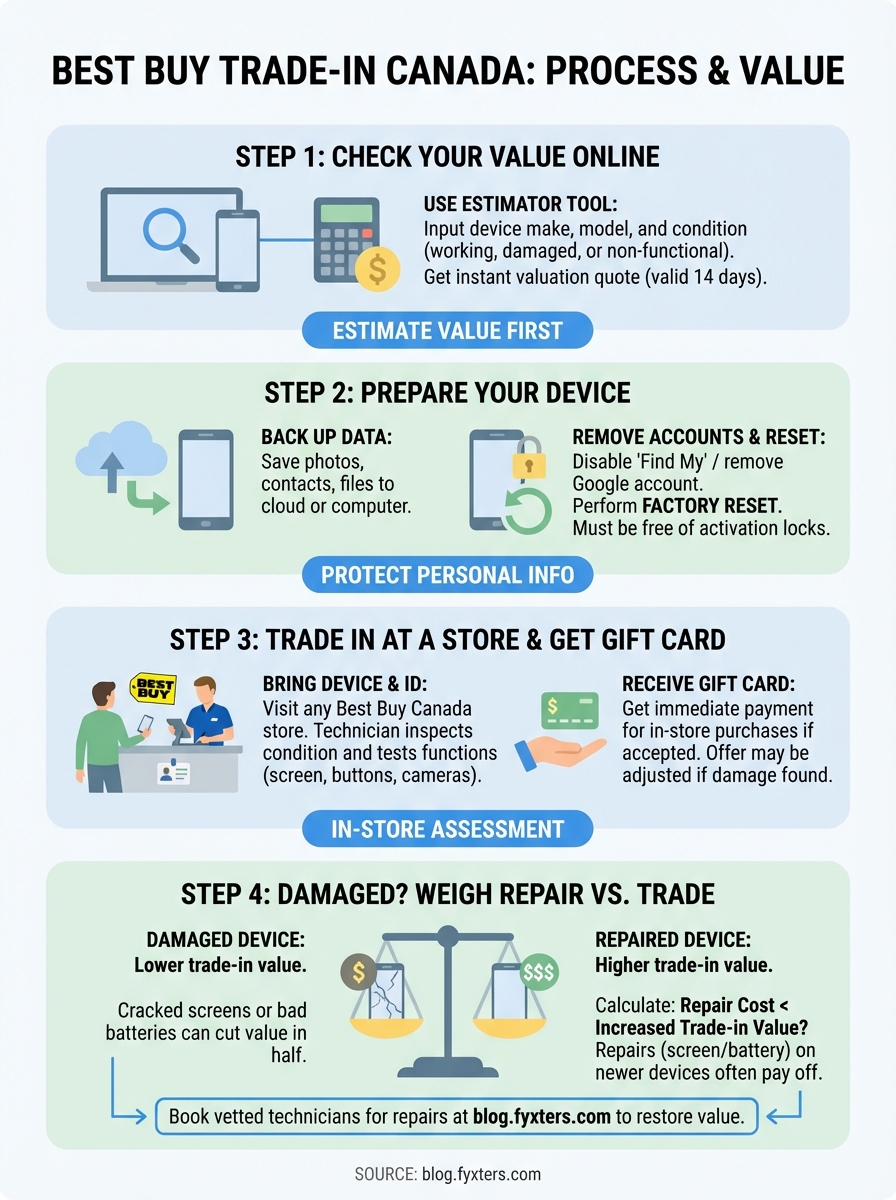
The estimator provides a quote valid for 14 days, giving you time to decide whether the trade-in value justifies your device’s sentimental or practical worth.
Your final quote appears as a Best Buy gift card amount rather than cash, which you can apply immediately to in-store purchases.
Step 2. Prepare your device for trade-in
Before you bring your device to Best Buy, you need to complete several essential steps that protect your personal information and ensure a smooth trade-in. The Best Buy trade-in Canada programme requires devices to be factory reset and free of activation locks, which means you’ll need to back up your data first and then remove all accounts linked to the device.
Back up your data
Start by [backing up all photos, contacts, and important files](https://blog.fyxters.com/category/phone-care-tips/) to cloud storage or a computer. iPhone users should create an iCloud backup through Settings > [Your Name] > iCloud > iCloud Backup, while Android users can back up via Settings > System > Backup. This step takes anywhere from a few minutes to an hour depending on your data volume.
Remove accounts and reset
You must disable Find My iPhone on Apple devices (Settings > [Your Name] > Find My) or remove your Google account on Android phones (Settings > Accounts) before resetting. After signing out of all accounts, perform a factory reset through your device settings. This wipes all personal data and returns the phone to its original state.
Failing to remove activation locks will result in Best Buy rejecting your trade-in at the assessment stage, wasting your trip to the store.
Step 3. Trade in at a store and get your gift card
Once your device is properly reset and prepared, you can visit any Best Buy Canada location to complete the trade-in. The in-store process typically takes 15 to 30 minutes, depending on how busy the service counter is. You’ll receive your payment immediately as a gift card if the device passes the final assessment.

What to bring with you
You need to bring your prepared device along with any original accessories like charging cables or cases if you want to include them (though they won’t add value). Have your government-issued ID ready, as Best Buy requires identification for all trade-in transactions to prevent fraud and ensure compliance with Canadian electronics resale regulations.
Your device should be fully charged or at minimum powered on so the technician can verify functionality. If the battery is completely dead and won’t turn on, the assessment becomes more difficult and may result in a lower valuation or rejection.
The in-store assessment process
A Best Buy associate will inspect your device’s physical condition and test basic functions like the touchscreen, buttons, cameras, and speakers. They verify that your device matches the model and specifications you provided in the online estimator. The associate also confirms you’ve removed all activation locks and personal data.
If the assessment reveals damage you didn’t disclose online, the offer will be adjusted downward or the trade-in may be declined entirely.
You’ll receive your Best Buy gift card immediately upon acceptance, which you can use right away for any purchase in the store.
Step 4. If your device is damaged, weigh repair vs trade
A cracked screen or failing battery can cut your trade-in value in half, sometimes dropping a $300 offer down to $100 or less. Before accepting that lower valuation, you should calculate whether a repair increases your net return. The math is straightforward: if repair costs $150 and boosts your trade-in from $100 to $350, you gain $100 in value.
When repair makes financial sense
You benefit most from pre-trade repairs when your device is relatively new (released within the past three years) and the damage is isolated to one component. A phone with only a broken screen but perfect functionality elsewhere will see the biggest value jump after repair. Older devices with multiple issues rarely justify repair costs before trade-in.
Calculate your potential return by subtracting repair cost from the improved trade-in estimate. If a screen replacement costs $180 and raises your Best Buy trade-in Canada value from $120 to $320, you pocket an extra $20. Anything less than break-even makes the repair pointless unless you plan to keep using the device.
Repairs become especially worthwhile for flagship phones like iPhone 14 or Samsung Galaxy S23, where condition dramatically affects trade value.
Quick fixes that deliver value
Screen repairs consistently offer the best return, often adding $150 to $250 in trade-in value for popular models. Battery replacements help too, particularly when your device shows battery health below 80 percent, as this triggers lower Best Buy valuations. You can book vetted technicians through fyxters.com for transparent upfront pricing on both repairs, often completed within hours.
Next steps
You now know exactly how Best Buy trade-in Canada works, from checking your device’s value to preparing it for submission. The process takes minimal effort once you understand which devices qualify and what condition requirements you must meet. Your next move depends on whether your device’s current condition matches the trade-in value you’re targeting.
If your phone has a cracked screen or battery problems, get a repair quote before accepting a lower trade-in offer. Montreal residents can book vetted technicians through iPhone screen repair Montreal for transparent upfront pricing and same-day service. The repair cost often pays for itself through increased trade-in value, especially on newer flagship models.
Start by using Best Buy’s online estimator to establish your baseline value, then decide whether a quick repair makes financial sense. You’ll know within minutes whether trading in or repairing first delivers the better return on your old device.